Volume Meshing
Stellarmesh also supports unstructured volume meshes generated with Gmsh.
[1]:
import tempfile
from pathlib import Path

import build123d as bd
import numpy as np
import openmc
import openmc.stats
import pyvista as pv
from IPython.display import Image

import stellarmesh as sm
/home/alex/Programming/stellarmesh/.pixi/envs/dev/lib/python3.11/site-packages/pymoab/__init__.py:21: UserWarning: pkg_resources is deprecated as an API. See https://setuptools.pypa.io/en/latest/pkg_resources.html. The pkg_resources package is slated for removal as early as 2025-11-30. Refrain from using this package or pin to Setuptools<81.
  from pkg_resources import get_distribution, DistributionNotFound
[2]:
def render_mesh(mesh: sm.Mesh):
    """Render a Stellarmesh mesh to the notebook output."""
    with tempfile.NamedTemporaryFile(suffix=".png", delete=False) as tmp_file:
        mesh.render(tmp_file.name, rotation_xyz=(90, 0, -90), normals=0, clipping=True)
        display(Image(tmp_file.name, width=800))
[3]:
def build_torus_geometry():
    """Render a Stellarmesh mesh to the notebook output."""
    solids = [bd.Solid.make_torus(10, 1).solid()]
    for _ in range(2):
        solids.append(bd.thicken(solids[-1].faces()[0], 1).solid())
    solids = solids[1:]
    return sm.Geometry(solids, material_names=["a", "b"])
Volume meshing with Gmsh
Volume meshes are created using the VolumeMesh class. The mesh is configured using the GmshVolumeOptions options class.
Note: the overlaps seen in the below render are visual artifacts.
[4]:
geometry = build_torus_geometry()
options = sm.GmshVolumeOptions(max_mesh_size=1)
mesh = sm.VolumeMesh.from_geometry(geometry, options)
render_mesh(mesh)
X_ChangeProperty: BadValue (integer parameter out of range for operation) 0x0

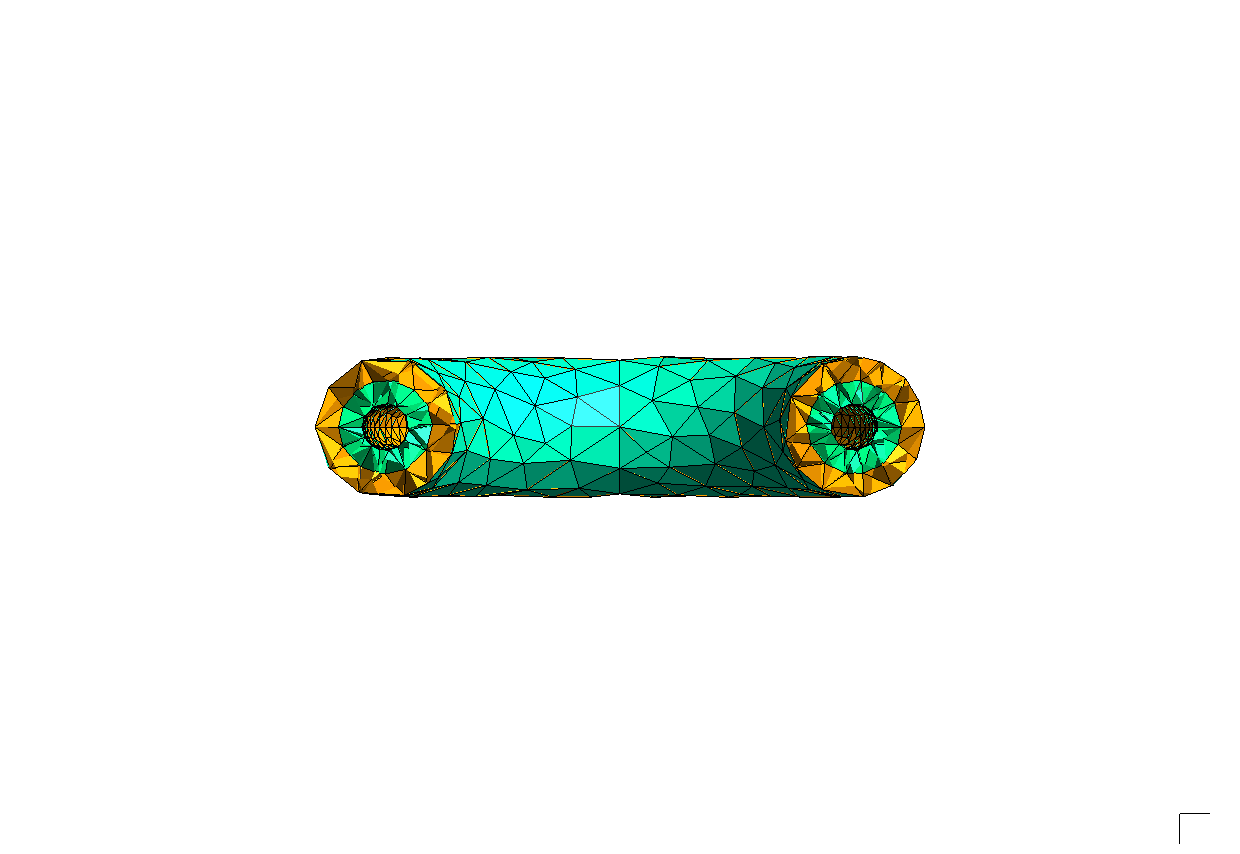
The mesh can be configured using many of the same options as GmshSurfaceOptions.
[5]:
geometry = build_torus_geometry()
options = sm.GmshVolumeOptions(curvature_target=10)
mesh = sm.VolumeMesh.from_geometry(geometry, options)
render_mesh(mesh)
X_ChangeProperty: BadValue (integer parameter out of range for operation) 0x0
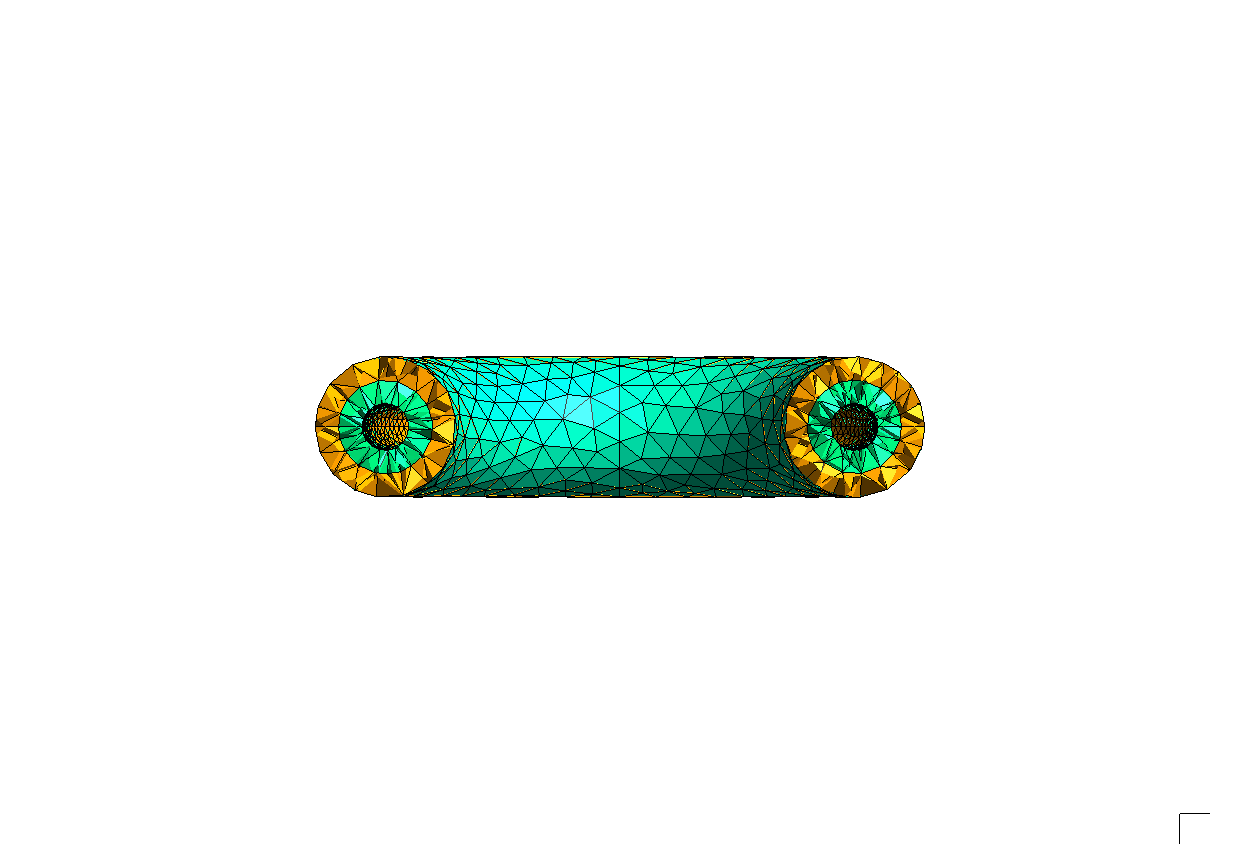
We can select from a number of surface and volume meshing algorithms with the algorithm2d and algorithm3d parameters.
[6]:
geometry = build_torus_geometry()
options = sm.GmshVolumeOptions(
    curvature_target=15,
    algorithm2d=sm.GmshSurfaceAlgo.MESH_ADAPT,
    algorithm3d=sm.GmshVolumeAlgo.FRONTAL,
)
mesh = sm.VolumeMesh.from_geometry(geometry, options)
render_mesh(mesh)
X_ChangeProperty: BadValue (integer parameter out of range for operation) 0x0
MOAB and LibMesh export
Unstructured volume meshes can be exported for analysis in OpenMC or elsewhere using both MOAB and LibMesh EXODUS files.
[7]:
# MOAB export
sm.MOABModel.from_mesh(mesh).write("torus3d.h5m")

# EXODUS export
mesh.write("torus3d.exo", use_meshio=True)
OpenMC Simulation on an Unstructured Volume Mesh
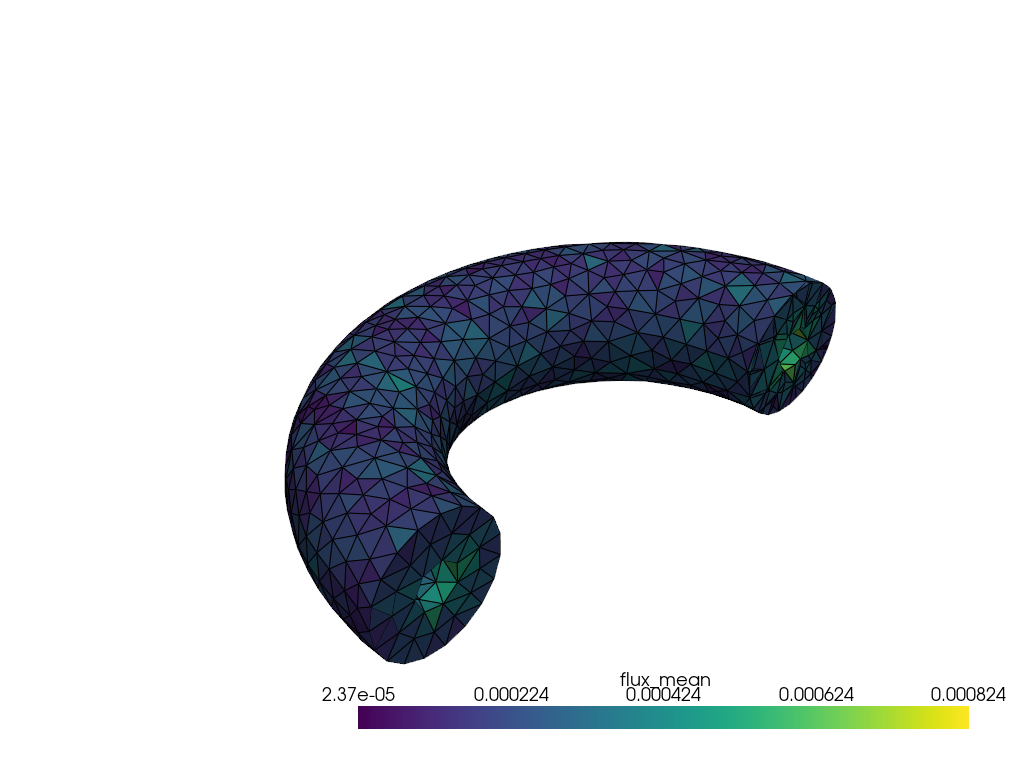
We can use the unstructured volume mesh as a tally mesh in OpenMC. First we build both a surface mesh (for DAGMC geometry) and a volume mesh (for tallying), then run a fixed-source simulation and map the flux result back onto the tet mesh for visualization with PyVista.
[12]:
with tempfile.TemporaryDirectory() as tmpdirname:
    tmp_path = Path(tmpdirname)

    geometry = build_torus_geometry()

    surface_mesh = sm.SurfaceMesh.from_geometry(
        geometry, sm.OCCSurfaceOptions(tol_angular_deg=0.5)
    )
    dagmc_model = sm.DAGMCModel.from_mesh(surface_mesh)
    dagmc_model.write(tmp_path / "dagmc.h5m")

    vol_mesh = sm.VolumeMesh.from_geometry(
        geometry, sm.GmshVolumeOptions(max_mesh_size=1)
    )
    vol_mesh_path = str(tmp_path / "torus_vol.h5m")
    sm.MOABVolumeModel.from_mesh(vol_mesh).write(vol_mesh_path)

    mat1 = openmc.Material(name="a")
    mat1.add_nuclide("Fe56", 1)
    mat1.set_density("g/cm3", 1)
    mat2 = openmc.Material(name="b")
    mat2.add_nuclide("Be9", 1)
    mat2.set_density("g/cm3", 1)
    materials = openmc.Materials([mat1, mat2])

    universe = openmc.DAGMCUniverse(tmp_path / "dagmc.h5m").bounded_universe()
    openmc_geometry = openmc.Geometry(universe)

    source = openmc.IndependentSource()
    source.space = openmc.stats.CylindricalIndependent(
        openmc.stats.Discrete([10], [1]),
        openmc.stats.Uniform(0, 2 * np.pi),
        openmc.stats.Discrete([0], [1]),
    )
    source.energy = openmc.stats.Discrete([14e6], [1])

    settings = openmc.Settings()
    settings.batches = 10
    settings.inactive = 0
    settings.particles = 10000
    settings.run_mode = "fixed source"
    settings.source = source

    umesh = openmc.UnstructuredMesh(vol_mesh_path, library="moab")
    umesh_filter = openmc.MeshFilter(umesh)
    umesh_tally = openmc.Tally(name="flux_mesh")
    umesh_tally.filters = [umesh_filter]
    umesh_tally.scores = ["flux"]
    tallies = openmc.Tallies([umesh_tally])

    model = openmc.Model(openmc_geometry, materials, settings, tallies)
    model.export_to_model_xml(path=tmp_path)
    output_file = model.run(cwd=str(tmp_path))

    with openmc.StatePoint(output_file) as sp:
        tally_result = sp.get_tally(name="flux_mesh")
        flux_mean = tally_result.mean.ravel()
        flux_sd = tally_result.std_dev.ravel()

    vol_mesh.write(str(tmp_path / "torus_vol.msh"))

    pv.set_jupyter_backend("static")
    raw_mesh = pv.read(str(tmp_path / "torus_vol.msh"))
    tet_indices = np.where(raw_mesh.celltypes == pv.CellType.TETRA)[0]
    tet_mesh = raw_mesh.extract_cells(tet_indices).remove_unused_points()

    tet_mesh.cell_data["flux_mean"] = flux_mean
    tet_mesh.cell_data["flux_sd"] = flux_sd

    clipped = tet_mesh.clip(normal="y", invert=True)
    plotter = pv.Plotter(off_screen=True)
    plotter.add_mesh(clipped, scalars="flux_mean", show_edges=True, log_scale=False)
    plotter.view_isometric()
    plotter.screenshot(str(tmp_path / "flux.png"))
    display(Image(str(tmp_path / "flux.png"), width=800))
/home/alex/Programming/stellarmesh/.pixi/envs/dev/lib/python3.11/site-packages/openmc/mixin.py:70: IDWarning: Another Surface instance already exists with id=10000.
  warn(msg, IDWarning)
/home/alex/Programming/stellarmesh/.pixi/envs/dev/lib/python3.11/site-packages/openmc/mixin.py:70: IDWarning: Another Surface instance already exists with id=10001.
  warn(msg, IDWarning)
/home/alex/Programming/stellarmesh/.pixi/envs/dev/lib/python3.11/site-packages/openmc/mixin.py:70: IDWarning: Another Surface instance already exists with id=10002.
  warn(msg, IDWarning)
/home/alex/Programming/stellarmesh/.pixi/envs/dev/lib/python3.11/site-packages/openmc/mixin.py:70: IDWarning: Another Surface instance already exists with id=10003.
  warn(msg, IDWarning)
/home/alex/Programming/stellarmesh/.pixi/envs/dev/lib/python3.11/site-packages/openmc/mixin.py:70: IDWarning: Another Surface instance already exists with id=10004.
  warn(msg, IDWarning)
/home/alex/Programming/stellarmesh/.pixi/envs/dev/lib/python3.11/site-packages/openmc/mixin.py:70: IDWarning: Another Surface instance already exists with id=10005.
  warn(msg, IDWarning)
/home/alex/Programming/stellarmesh/.pixi/envs/dev/lib/python3.11/site-packages/openmc/mixin.py:70: IDWarning: Another Cell instance already exists with id=10000.
  warn(msg, IDWarning)
                                %%%%%%%%%%%%%%%
                           %%%%%%%%%%%%%%%%%%%%%%%%
                        %%%%%%%%%%%%%%%%%%%%%%%%%%%%%%
                      %%%%%%%%%%%%%%%%%%%%%%%%%%%%%%%%%%
                    %%%%%%%%%%%%%%%%%%%%%%%%%%%%%%%%%%%%%%
                   %%%%%%%%%%%%%%%%%%%%%%%%%%%%%%%%%%%%%%%%
                                    %%%%%%%%%%%%%%%%%%%%%%%%
                                     %%%%%%%%%%%%%%%%%%%%%%%%
                 ###############      %%%%%%%%%%%%%%%%%%%%%%%%
                ##################     %%%%%%%%%%%%%%%%%%%%%%%
                ###################     %%%%%%%%%%%%%%%%%%%%%%%
                ####################     %%%%%%%%%%%%%%%%%%%%%%
                #####################     %%%%%%%%%%%%%%%%%%%%%
                ######################     %%%%%%%%%%%%%%%%%%%%
                #######################     %%%%%%%%%%%%%%%%%%
                 #######################     %%%%%%%%%%%%%%%%%
                 ######################     %%%%%%%%%%%%%%%%%
                  ####################     %%%%%%%%%%%%%%%%%
                    #################     %%%%%%%%%%%%%%%%%
                     ###############     %%%%%%%%%%%%%%%%
                       ############     %%%%%%%%%%%%%%%
                          ########     %%%%%%%%%%%%%%
                                      %%%%%%%%%%%

                 | The OpenMC Monte Carlo Code
       Copyright | 2011-2025 MIT, UChicago Argonne LLC, and contributors
         License | https://docs.openmc.org/en/latest/license.html
         Version | 0.15.2
     Commit Hash | e23760b0264c66fb7bb373aa0596801e5209d920
       Date/Time | 2026-02-23 13:16:20
  OpenMP Threads | 20

 Reading model XML file 'model.xml' ...
 Reading cross sections XML file...
Loading file /tmp/tmp1i6ltx08/dagmc.h5m
Initializing the GeomQueryTool...
Using faceting tolerance: 0.1
Building acceleration data structures...
 Reading Fe56 from /home/alex/Programming/data/endfb-viii.0-hdf5/neutron/Fe56.h5
 Reading Be9 from /home/alex/Programming/data/endfb-viii.0-hdf5/neutron/Be9.h5
 Minimum neutron data temperature: 294 K
 Maximum neutron data temperature: 294 K
 Getting tet adjacencies...
 Building adaptive k-d tree for tet mesh with ID 5...
 Preparing distributed cell instances...
 Writing summary.h5 file...
 Maximum neutron transport energy: 20000000 eV for Be9

 ===============>     FIXED SOURCE TRANSPORT SIMULATION     <===============

 Simulating batch 1
 Simulating batch 2
 Simulating batch 3
 Simulating batch 4
 Simulating batch 5
 Simulating batch 6
 Simulating batch 7
 Simulating batch 8
 Simulating batch 9
 Simulating batch 10
 Creating state point statepoint.10.h5...
 WARNING: Output for a MOAB mesh (mesh 5) was requested but will not be written.
          Please use the Python API to generated the desired VTK tetrahedral
          mesh.

 =======================>     TIMING STATISTICS     <=======================

 Total time for initialization     = 1.8602e+00 seconds
   Reading cross sections          = 1.6402e-01 seconds
 Total time in simulation          = 2.7305e+00 seconds
   Time in transport only          = 2.6785e+00 seconds
   Time in active batches          = 2.7305e+00 seconds
   Time accumulating tallies       = 3.8573e-02 seconds
   Time writing statepoints        = 9.7284e-03 seconds
 Total time for finalization       = 6.9548e-03 seconds
 Total time elapsed                = 4.5980e+00 seconds
 Calculation Rate (active)         = 36623.6 particles/second

 ============================>     RESULTS     <============================

 Leakage Fraction            = 1.05281 +/- 0.00095
Warning: 1 cells are not part of any cell set. Using default value -1.