Surface Meshing
This example demonstrates how to construct a geometry, surface mesh, and DAGMC model using Stellarmesh along with an OpenMC tally.
[7]:
import tempfile

import build123d as bd
from IPython.display import Image

import stellarmesh as sm
[8]:
def render_mesh(mesh: sm.Mesh):
    """Render a Stellarmesh mesh to the notebook output."""
    with tempfile.NamedTemporaryFile(suffix=".png", delete=False) as tmp_file:
        mesh.render(tmp_file.name, rotation_xyz=(90, 0, -90), normals=0, clipping=True)
        display(Image(tmp_file.name, width=800))
Model Geometry with build123d
Geometry is initialized in Stellarmesh with the Geometry class. Here, we construct a layered torus model with build123d, but CadQuery solids are equally supported. The length of material_names must match the length of solids.
[9]:
def build_torus_geometry():
    """Example torus geometry with 2 concentric layers."""
    solids = [bd.Solid.make_torus(10, 1).solid()]
    for _ in range(2):
        solids.append(bd.thicken(solids[-1].faces()[0], 1).solid())
    solids = solids[1:]
    return sm.Geometry(solids, material_names=["a", "b"])
Mesh Geometry
We create a surface mesh for our geometry using the SurfaceMesh from_geometry constuctor, which takes as a second parameter the meshing backend of our choice. Here, we use the OCC meshing backend with an angular tolernace of 1 degree.
[10]:
geometry = build_torus_geometry()
meshing_options = sm.OCCSurfaceOptions(tol_angular_deg=1, tol_linear=None)
mesh = sm.SurfaceMesh.from_geometry(geometry, meshing_options)
render_mesh(mesh)
X_ChangeProperty: BadValue (integer parameter out of range for operation) 0x0
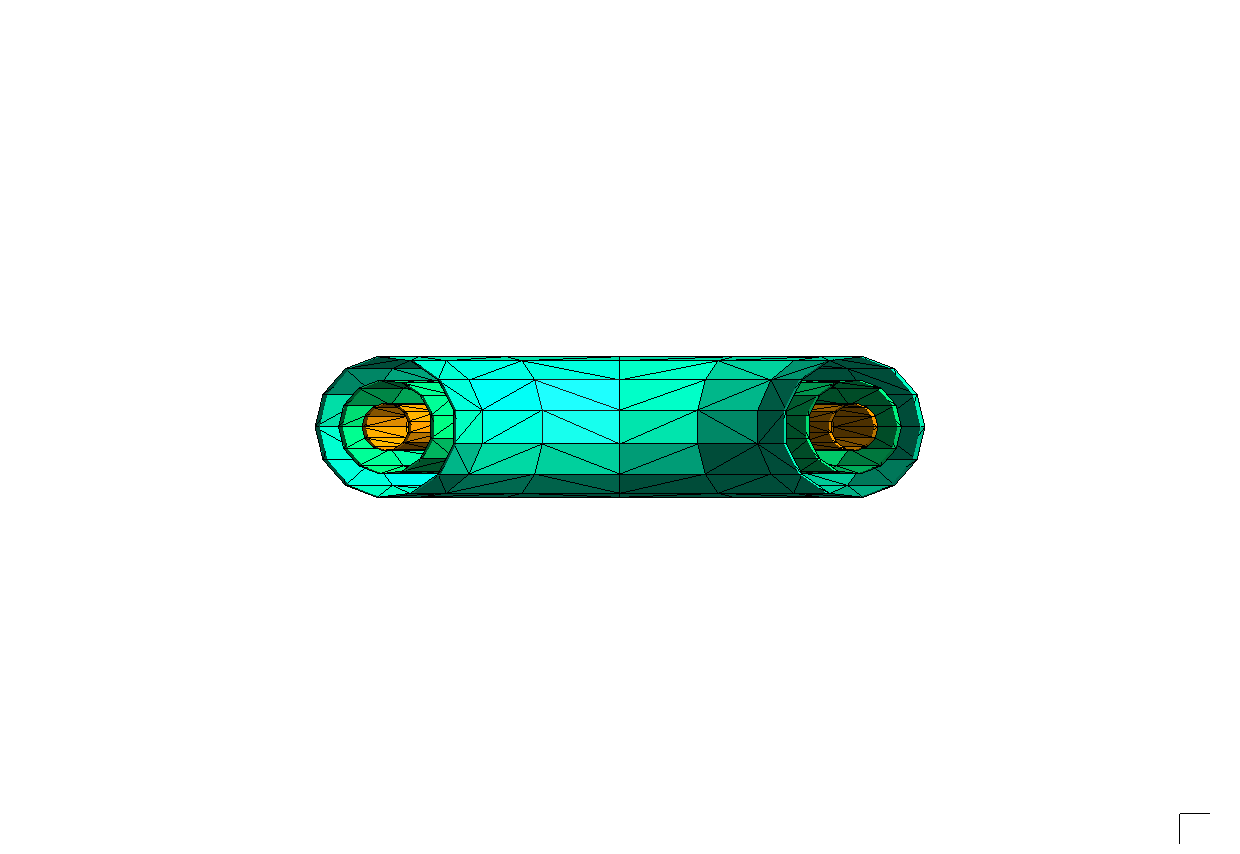
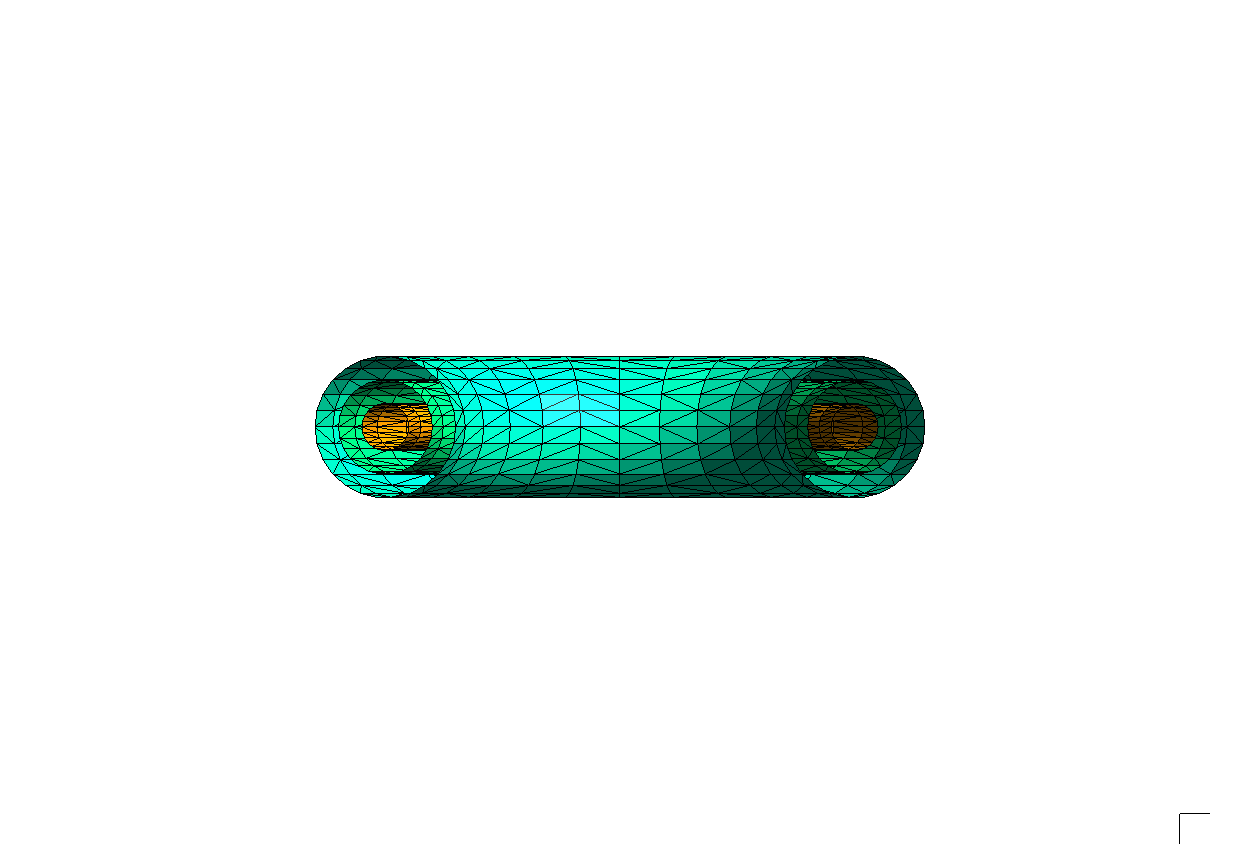
Decreasing the angular tolernace to 0.5 degrees gives us a higher resolution mesh.
[11]:
geometry = build_torus_geometry()
meshing_options = sm.OCCSurfaceOptions(tol_angular_deg=0.5, tol_linear=None)
mesh = sm.SurfaceMesh.from_geometry(geometry, meshing_options)
render_mesh(mesh)
X_ChangeProperty: BadValue (integer parameter out of range for operation) 0x0
Linear tolerance
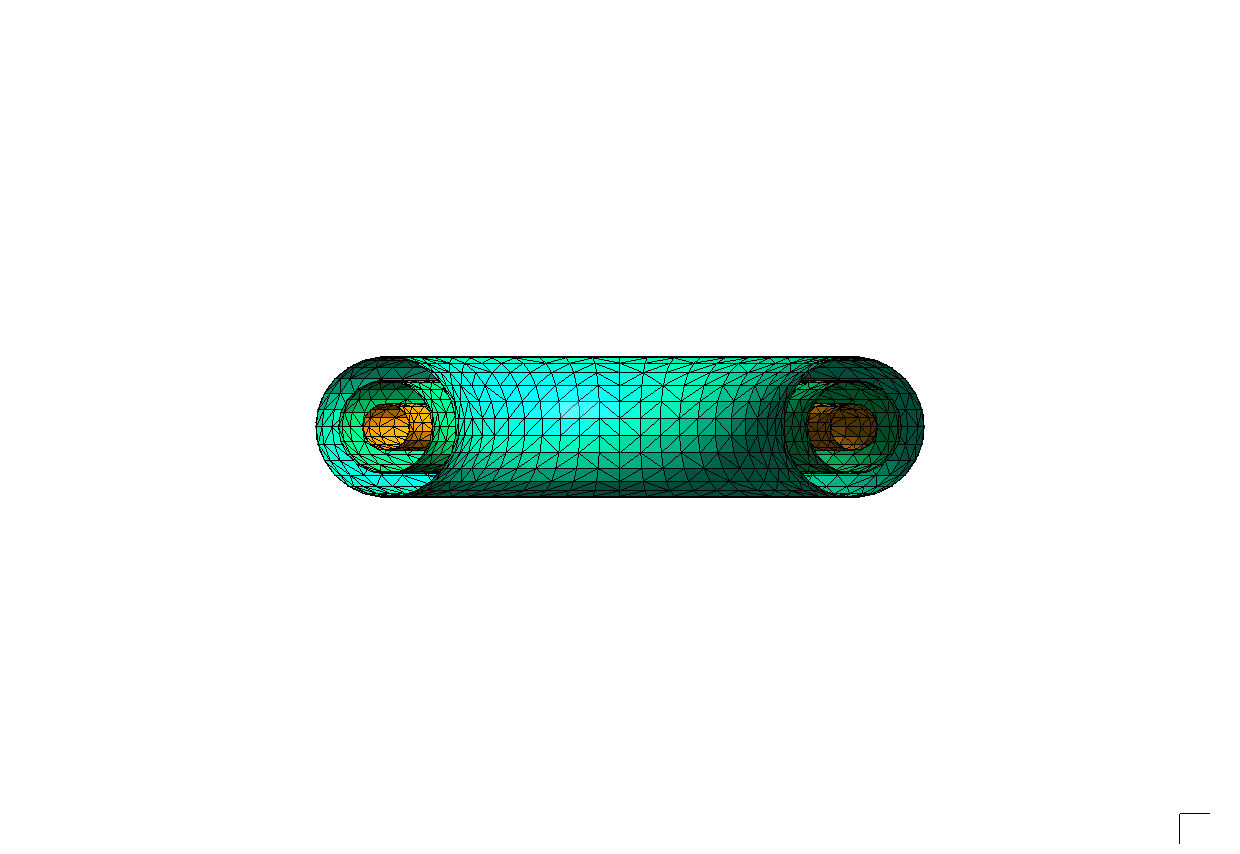
We can also specify a linear tolerance. Here, we assert that the generated mesh must lie within 0.05 units of the true surface.
[12]:
geometry = build_torus_geometry()
meshing_options = sm.OCCSurfaceOptions(tol_angular_deg=None, tol_linear=0.05)
mesh = sm.SurfaceMesh.from_geometry(geometry, meshing_options)
render_mesh(mesh)
X_ChangeProperty: BadValue (integer parameter out of range for operation) 0x0
Mesh With Gmsh
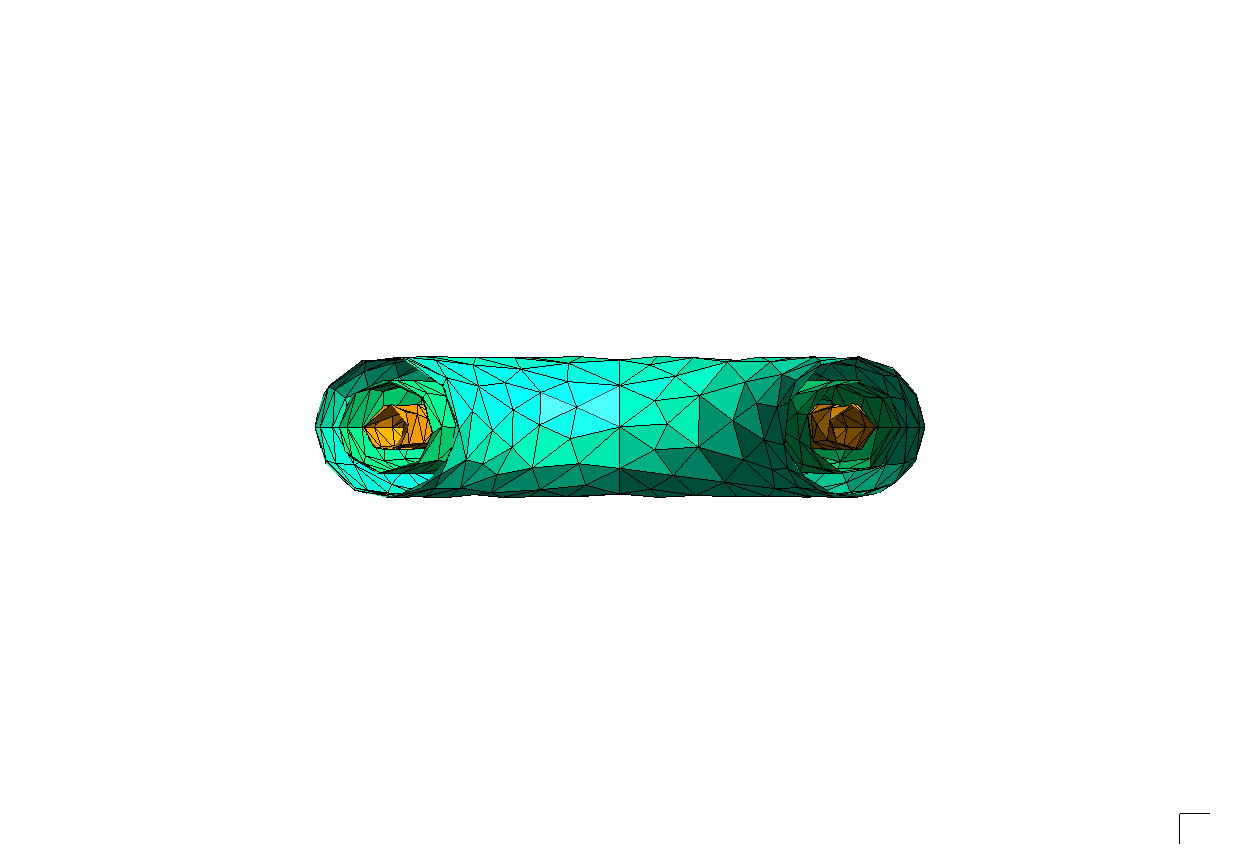
It is also possible to mesh geometries using Gmsh surface meshing algorithms. These algorithms generate high quality elements. However, Gmsh does not support specifying exact tolerances.
[13]:
geometry = build_torus_geometry()
meshing_options = sm.GmshSurfaceOptions(min_mesh_size=0.5, max_mesh_size=2)
mesh = sm.SurfaceMesh.from_geometry(geometry, meshing_options)
mesh.render("mesh.png", rotation_xyz=(90, 0, -90), normals=0, clipping=True)
display(Image("mesh.png", width=800))
X_ChangeProperty: BadValue (integer parameter out of range for operation) 0x0
[14]:
geometry = build_torus_geometry()
meshing_options = sm.GmshSurfaceOptions(min_mesh_size=0.5, max_mesh_size=1)
mesh = sm.SurfaceMesh.from_geometry(geometry, meshing_options)
mesh.render("mesh.png", rotation_xyz=(90, 0, -90), normals=0, clipping=True)

display(Image("mesh.png", width=800))
X_ChangeProperty: BadValue (integer parameter out of range for operation) 0x0
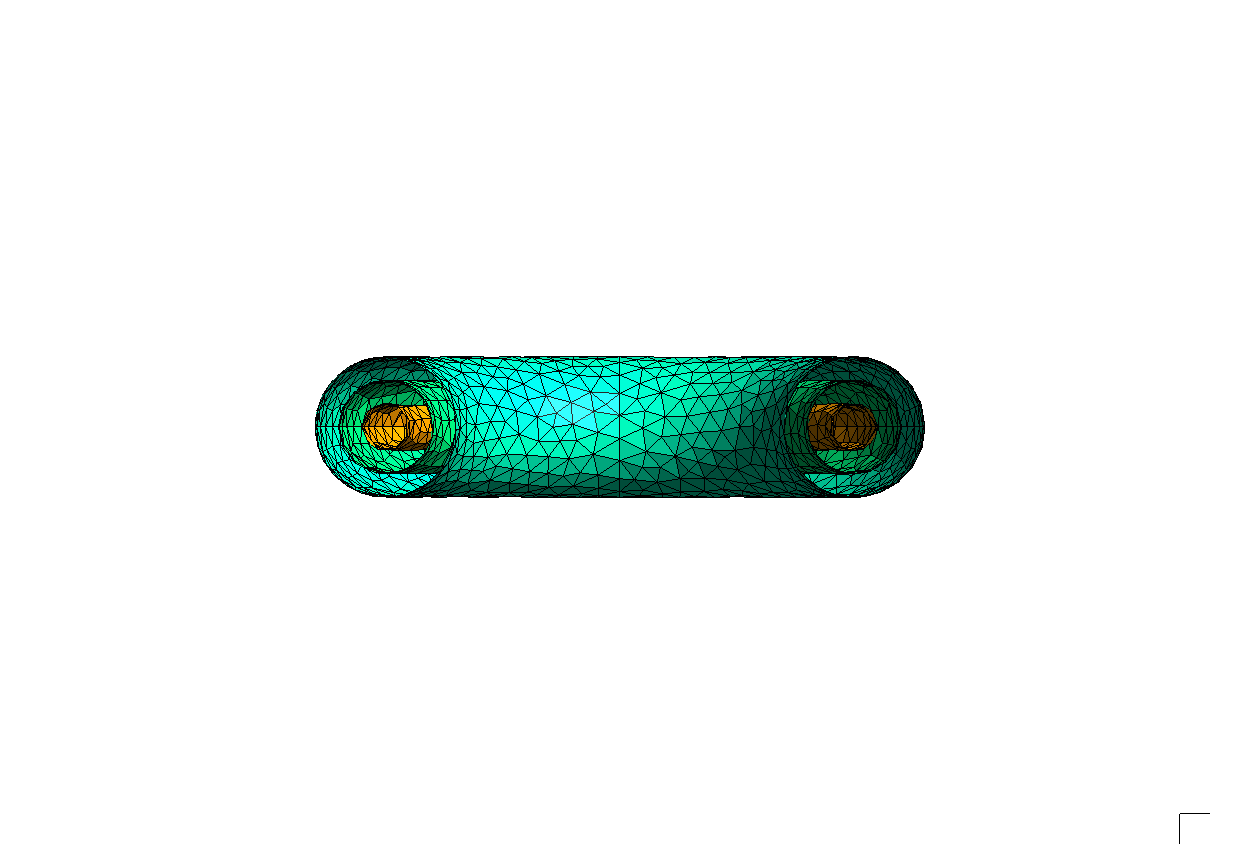
Curvature Target
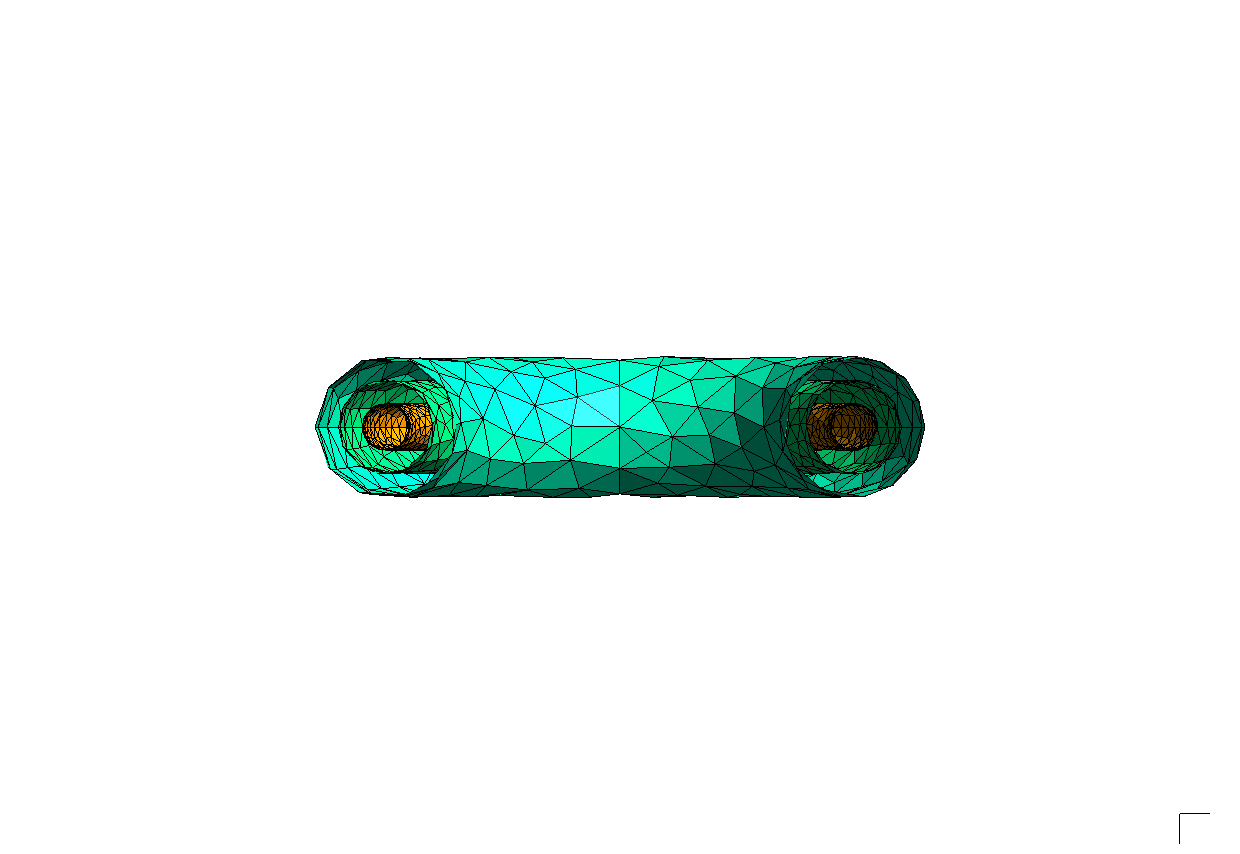
The curvature_target option allows us to specify a target number of mesh elements per 2pi radians. This approximates an angular tolerance parameter. Note that regions of higher curvature now have a finer mesh resolution.
[15]:
geometry = build_torus_geometry()
meshing_options = sm.GmshSurfaceOptions(curvature_target=10)
mesh = sm.SurfaceMesh.from_geometry(geometry, meshing_options)
mesh.render("mesh.png", rotation_xyz=(90, 0, -90), normals=0, clipping=True)

display(Image("mesh.png", width=800))
X_ChangeProperty: BadValue (integer parameter out of range for operation) 0x0
Run an OpenMC Tally
Here, we model, mesh, and run a flux tally on our sample geometry using OpenMC.
[16]:
from pathlib import Path

import numpy as np
import openmc
import openmc.stats

import stellarmesh as sm

with tempfile.TemporaryDirectory() as tmpdirname:
    tmp_path = Path(tmpdirname)

    geometry = build_torus_geometry()
    mesh = sm.SurfaceMesh.from_geometry(
        geometry, sm.OCCSurfaceOptions(tol_angular_deg=0.5)
    )
    dagmc_model = sm.DAGMCModel.from_mesh(mesh)
    dagmc_model.write(tmp_path / "dagmc.h5m")

    mat1 = openmc.Material(name="a")
    mat1.add_nuclide("Fe56", 1)
    mat1.set_density("g/cm3", 1)
    mat2 = openmc.Material(name="b")
    mat2.add_nuclide("Be9", 1)
    mat2.set_density("g/cm3", 1)
    materials = openmc.Materials([mat1, mat2])

    universe = openmc.DAGMCUniverse(tmp_path / "dagmc.h5m").bounded_universe()
    openmc_geometry = openmc.Geometry(universe)

    source = openmc.IndependentSource()
    source.space = openmc.stats.CylindricalIndependent(
        openmc.stats.Discrete([10], [1]),
        openmc.stats.Uniform(0, 2 * np.pi),
        openmc.stats.Discrete([0], [1]),
    )
    source.energy = openmc.stats.Discrete([14e6], [1])

    settings = openmc.Settings()
    settings.batches = 5
    settings.inactive = 0
    settings.particles = 100
    settings.run_mode = "fixed source"
    settings.source = source

    mat_filter = openmc.MaterialFilter(materials)
    tally = openmc.Tally(name="flux")
    tally.filters = [mat_filter]
    tally.scores = ["flux"]
    tallies = openmc.Tallies([tally])

    model = openmc.Model(openmc_geometry, materials, settings, tallies)
    model.export_to_model_xml(path=tmp_path)
    output_file = model.run(cwd=str(tmp_path))
    with openmc.StatePoint(output_file) as sp:
        tally = sp.get_tally(name="flux")
        flux = tally.mean.flatten()
        print("Flux:", flux)
                                %%%%%%%%%%%%%%%
                           %%%%%%%%%%%%%%%%%%%%%%%%
                        %%%%%%%%%%%%%%%%%%%%%%%%%%%%%%
                      %%%%%%%%%%%%%%%%%%%%%%%%%%%%%%%%%%
                    %%%%%%%%%%%%%%%%%%%%%%%%%%%%%%%%%%%%%%
                   %%%%%%%%%%%%%%%%%%%%%%%%%%%%%%%%%%%%%%%%
                                    %%%%%%%%%%%%%%%%%%%%%%%%
                                     %%%%%%%%%%%%%%%%%%%%%%%%
                 ###############      %%%%%%%%%%%%%%%%%%%%%%%%
                ##################     %%%%%%%%%%%%%%%%%%%%%%%
                ###################     %%%%%%%%%%%%%%%%%%%%%%%
                ####################     %%%%%%%%%%%%%%%%%%%%%%
                #####################     %%%%%%%%%%%%%%%%%%%%%
                ######################     %%%%%%%%%%%%%%%%%%%%
                #######################     %%%%%%%%%%%%%%%%%%
                 #######################     %%%%%%%%%%%%%%%%%
                 ######################     %%%%%%%%%%%%%%%%%
                  ####################     %%%%%%%%%%%%%%%%%
                    #################     %%%%%%%%%%%%%%%%%
                     ###############     %%%%%%%%%%%%%%%%
                       ############     %%%%%%%%%%%%%%%
                          ########     %%%%%%%%%%%%%%
                                      %%%%%%%%%%%

                 | The OpenMC Monte Carlo Code
       Copyright | 2011-2025 MIT, UChicago Argonne LLC, and contributors
         License | https://docs.openmc.org/en/latest/license.html
         Version | 0.15.2
     Commit Hash | e23760b0264c66fb7bb373aa0596801e5209d920
       Date/Time | 2026-02-18 13:01:33
  OpenMP Threads | 20

 Reading model XML file 'model.xml' ...
 Reading cross sections XML file...
Loading file /tmp/tmpve0e5o2n/dagmc.h5m
Initializing the GeomQueryTool...
Using faceting tolerance: 0.1
Building acceleration data structures...
 Reading Fe56 from /home/alex/Programming/data/endfb-viii.0-hdf5/neutron/Fe56.h5
 Reading Be9 from /home/alex/Programming/data/endfb-viii.0-hdf5/neutron/Be9.h5
 Minimum neutron data temperature: 294 K
 Maximum neutron data temperature: 294 K
 Preparing distributed cell instances...
 Writing summary.h5 file...
 Maximum neutron transport energy: 20000000 eV for Be9

 ===============>     FIXED SOURCE TRANSPORT SIMULATION     <===============

 Simulating batch 1
 Simulating batch 2
 Simulating batch 3
 Simulating batch 4
 Simulating batch 5
 Creating state point statepoint.5.h5...

 =======================>     TIMING STATISTICS     <=======================

 Total time for initialization     = 1.8215e-01 seconds
   Reading cross sections          = 1.5099e-01 seconds
 Total time in simulation          = 3.2894e-02 seconds
   Time in transport only          = 1.7126e-02 seconds
   Time in active batches          = 3.2894e-02 seconds
   Time accumulating tallies       = 1.3671e-02 seconds
   Time writing statepoints        = 2.0022e-03 seconds
 Total time for finalization       = 1.7225e-04 seconds
 Total time elapsed                = 2.1563e-01 seconds
 Calculation Rate (active)         = 15200.2 particles/second

 ============================>     RESULTS     <============================

 Leakage Fraction            = 1.05200 +/- 0.01356

Flux: [1.69780327 1.74478206]